
Integration into your workflow
Export & archiving: results straight where they belong.
Lagre og last ned resultater som PDF-er. Sømløs lagring i nettleseren eller rett til en målmappe - inkludert strukturerte ZIP-arkiver.
Export options at a glance
- Default download via browserWith no extra setup, your PDFs and ZIP bundles land in the usual downloads folder - no setup, no elevated permissions required.
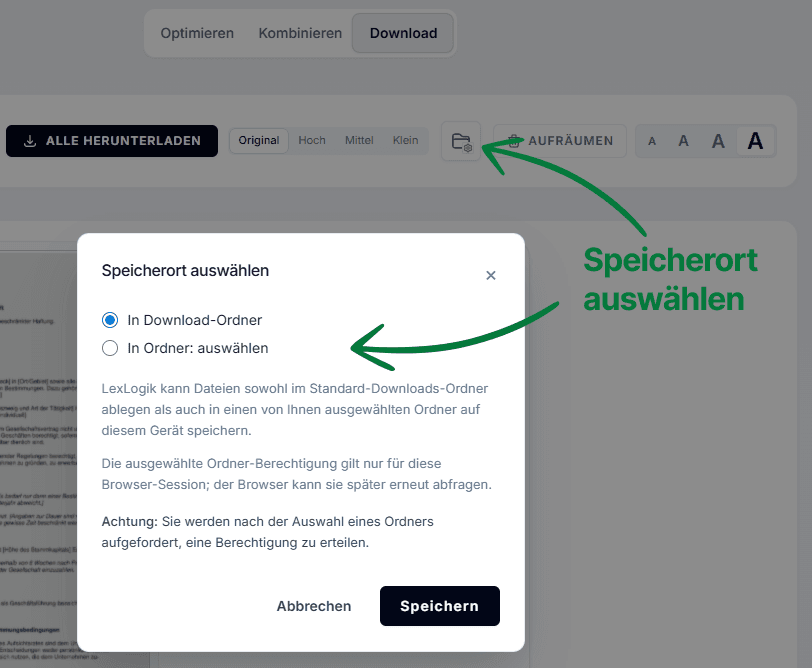
- Direct write access to firm foldersUse the folder icon to define a fixed target directory (e.g. the watch folder for your practice software). Once authorised, LexLogik saves every export straight to that path - bypassing the downloads folder. That removes the manual move step.
- Bundling as a ZIP arkivBundle extensive saksmappes for delivery or archiving in one click as a ZIP arkiv. That keeps large sets of individual files manageable and simplifies handing everything to clients or domstols in one go.
- Persistent work stateYour editing progress is preserved - even after reloading the page, documents and layout are available again immediately.
Direct download to your chosen folder
Click the folder icon to set a fixed target directory. Once authorised, all documents save automatically to that path - ideal for import folders watched by your DMS.
A searchable PDF after the first run - that is not an add-on for us, but a baseline requirement. Anything that would still need to be done manually afterwards, we want to automate away.
Jonas Maximilian Regul
Managing director · Strategy
Settings tip for Firefox
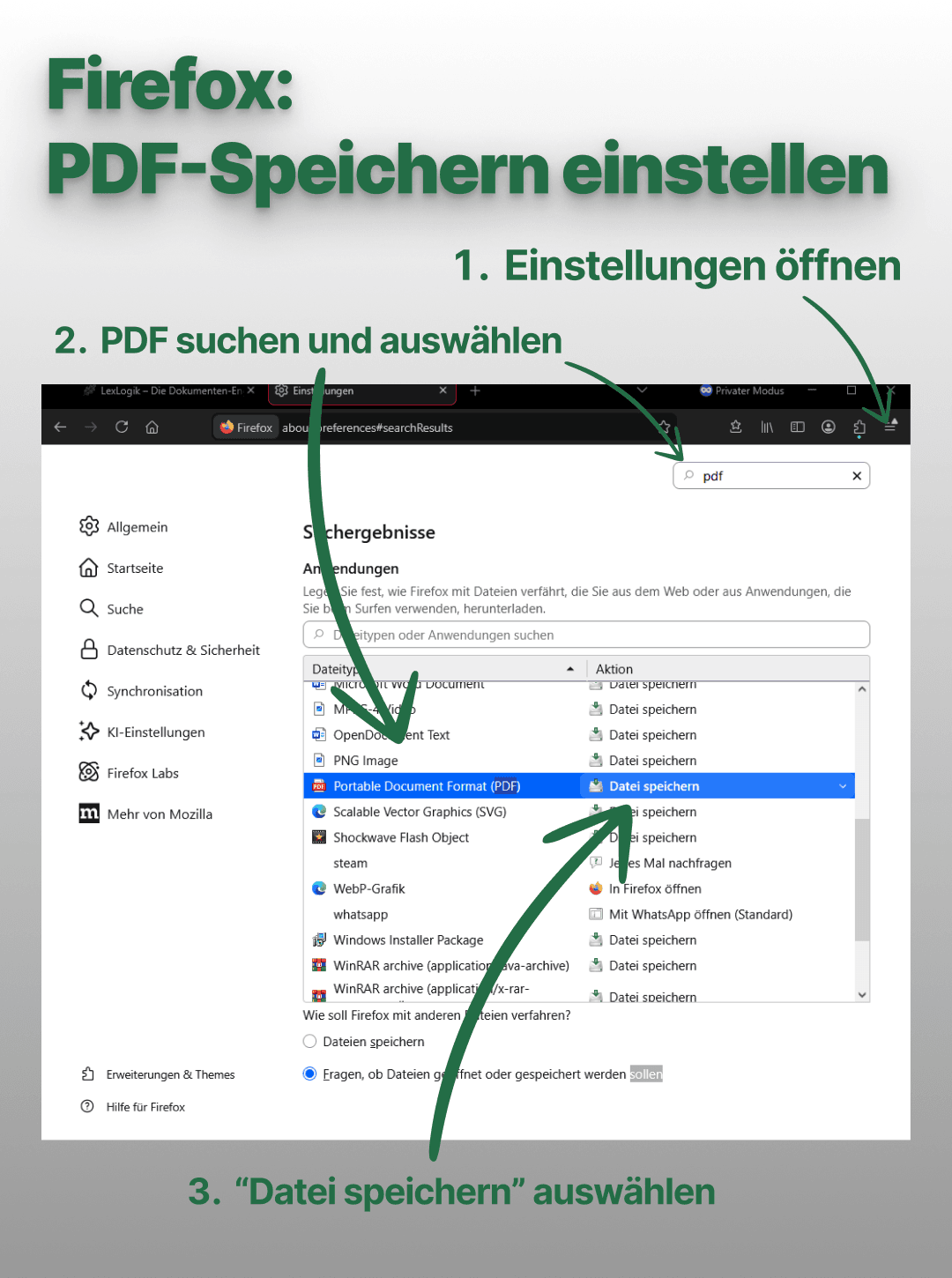
The folder feature is available in Chrome and Edge - other browsers use the default download. Firefox users should check whether PDFs open automatically in the browser and set “Portable Document Format (PDF)” to “Save file.”
Prøv LexLogik i din praksis
Alle funksjoner tilgjengelige. Ingen kredittkort. Ingen automatisk abonnement.