
Integrations
Drag & drop from emails, files, and ZIP archives.
Drag & drop from emails, files, and ZIP archives. Drag documents straight from Outlook or File Explorer into LexLogik. ZIP archives are unpacked and structured automatically - no manual prep. With high-performance upload, even large matter bundles go through without tedious splitting.
At a glance
Files, archives, and email attachments - straight into the workflow.
- Explorer and emailDrag files straight from the file manager or an email into LexLogik - no saving locally, no detour.
- ZIP archives in one stepUpload ZIP bundles as a whole - LexLogik unpacks automatically and processes each item individually.
- High-performance upload for large case filesEven large case files upload in one piece - no splitting, no compressing beforehand.
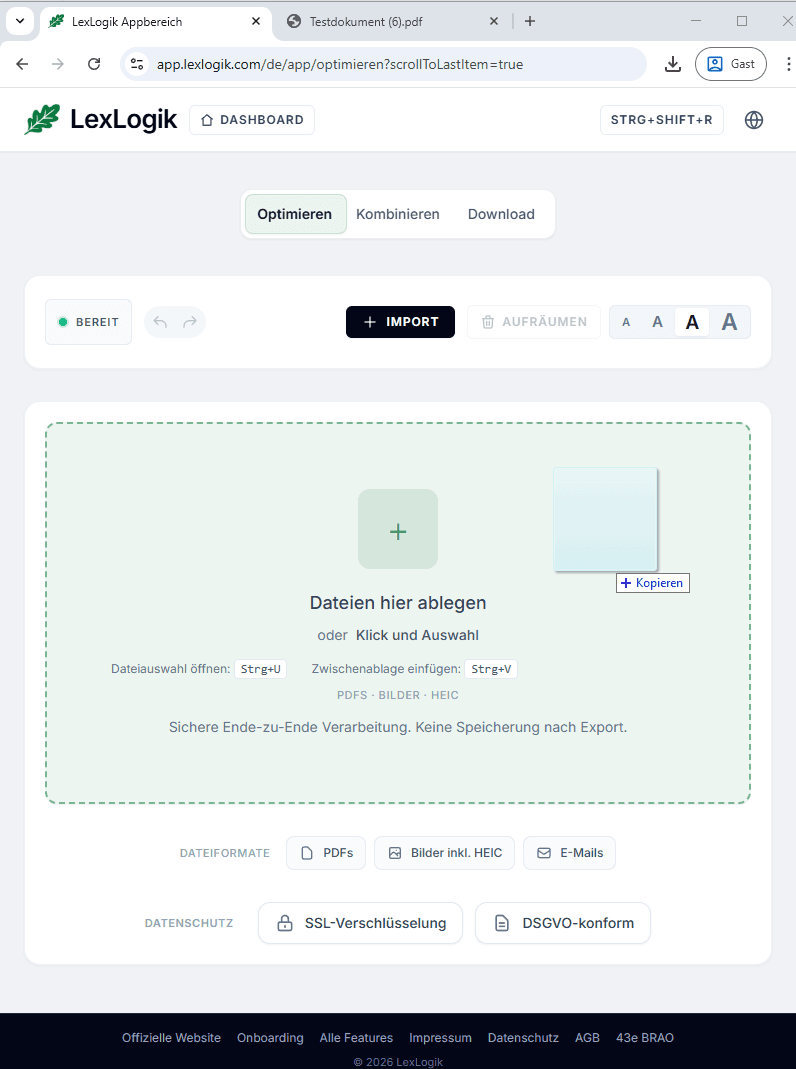
Drop zone in Optimize
Open LexLogik Optimize and drag one or more files from Explorer or an email into the drop zone. Processing starts immediately - no import dialog, no extra step.
10 days free
Try LexLogik in your practice
All features unlocked. No credit card. No automatic subscription.