
Product
Intelligent document preparation from client photos.
Intelligent document preparation from client photos. No scan app needed. LexLogik automatically corrects perspective, framing, and exposure of your clients’ photos.
Clients often send simple phone photos instead of clean scans - often skewed, with distracting backgrounds or harsh shadows. LexLogik detects the document in the image automatically, crops it precisely, and straightens the view. The result: a precisely cropped, structured, searchable document.
At a glance
- Document recognitionLexLogik detects sheet edges in image files on its own, crops them precisely, and straightens the perspective. At the same time, text is embedded immediately - so a simple phone photo becomes a searchable PDF in one step.
- Multi-format import & ZIP archivesWhether files, WhatsApp images, email attachments, or complex ZIP packages: upload a wide mix of file types in a single run.
- Crop & manual adjustmentIf the automatic crop isn't right, adjust the document area in preview - the adjustment is saved and processing starts again.
- OCR & exportCreate fully searchable PDFs. After automatic preparation, your documents are ready immediately for download and direct use in your filing or case file.
Upload and processing
Add files or ZIP archives via drag & drop or copy-paste - LexLogik starts OCR immediately and shows the result in the preview.
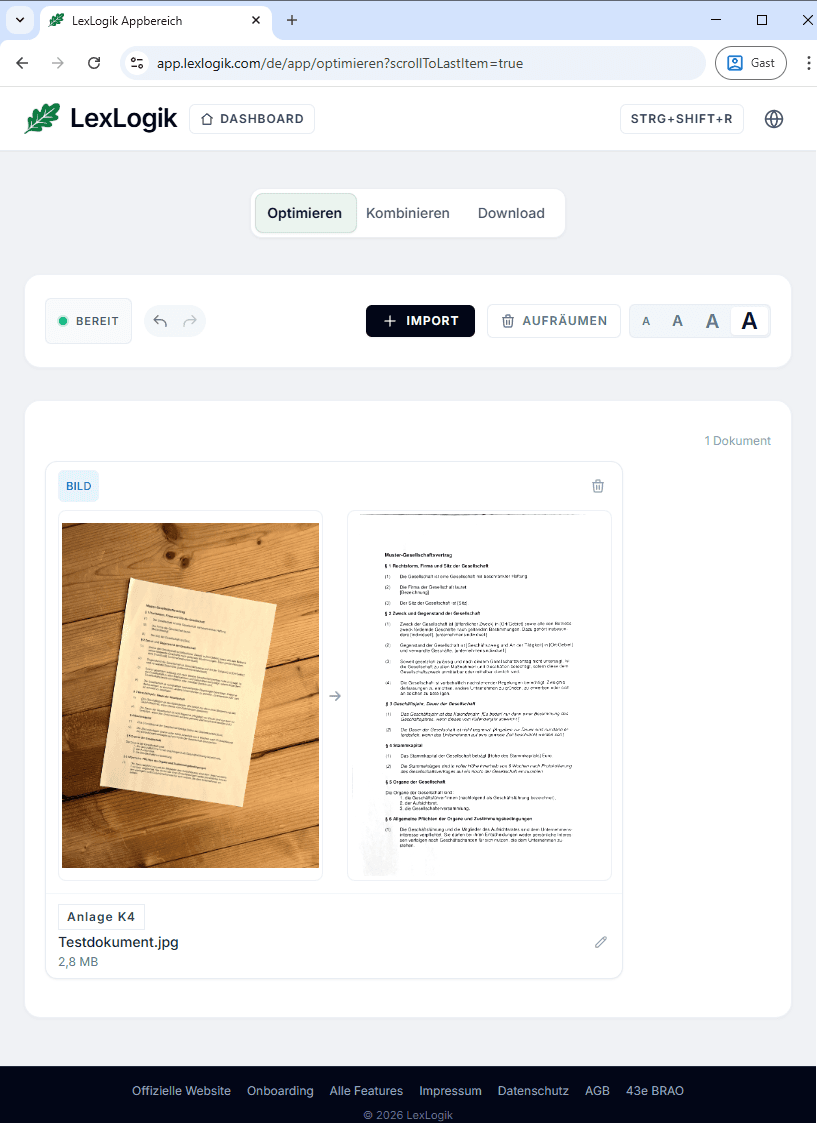
Manual adjustment of crop areas
Click the image to correct the automatic crop. Drag corner points and capture up to five separate documents in one image - you decide what gets processed.
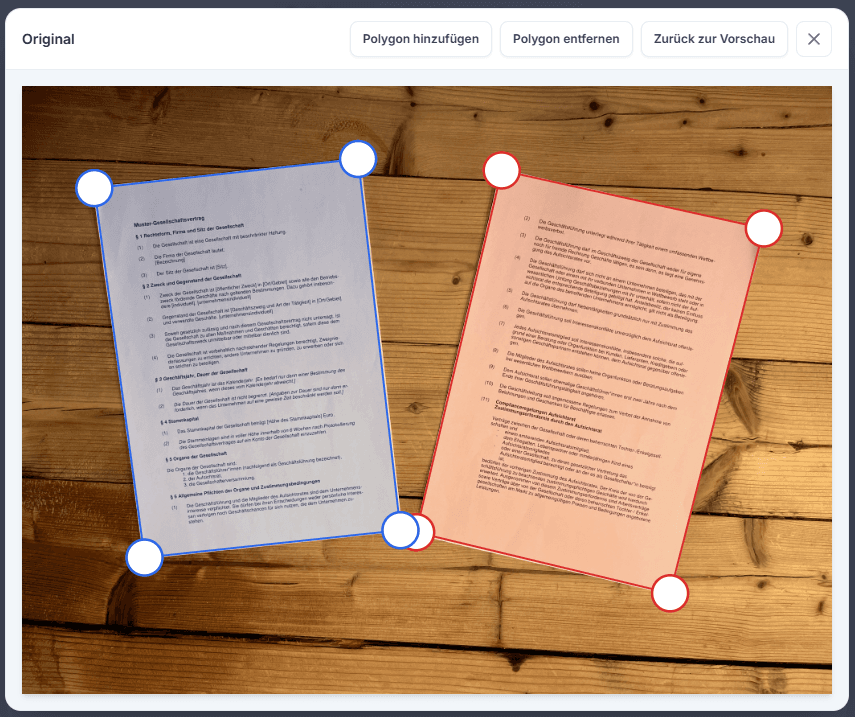
Try LexLogik in your practice
All features unlocked. No credit card. No automatic subscription.