
Product
Perfect alignment - automatically or with one click.
Perfect alignment - automatically or with one click. Skewed scans and sideways photos are corrected automatically on upload - with no action required from you.
At a glance
- Smart automation in the backgroundSkewed scans and sideways photos are corrected automatically on upload - with no action required from you.
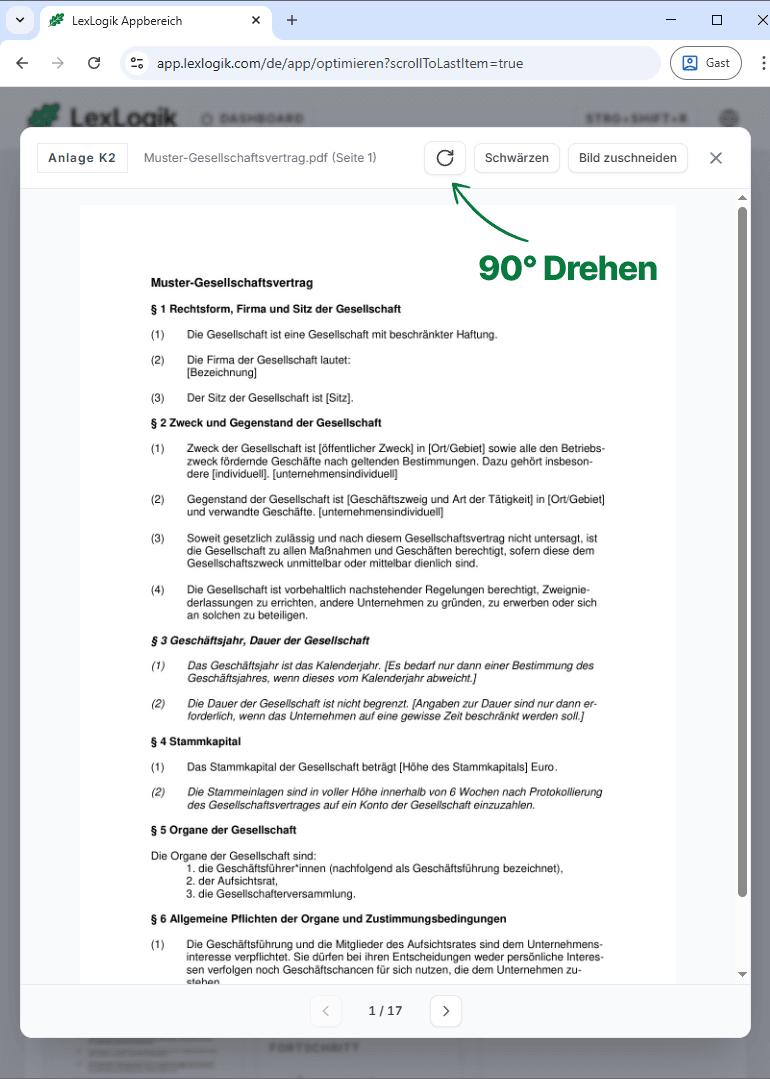
- Synchronous 90° rotationWhen automation does not apply, rotate with one click. Preview and text layer stay in sync - text recognition lines up exactly with the lines on the page.
Align in preview
Correctly aligned pages are the foundation for clean text recognition and reliable citations - LexLogik ensures that before you continue. Correction happens right in the workflow - no switching to a PDF viewer or image editor.
Team statement
Mis-oriented captures are among the most common friction points in a digital workflow. That is why LexLogik corrects orientation automatically - and still gives you the freedom in preview to adjust manually whenever you need.
Clemens Schmid
Co-founder · Technology
10 days free
Try LexLogik in your practice
All features unlocked. No credit card. No automatic subscription.